CastReader for Mac
For documents, ebooks, pasted text and links you want to open in a dedicated app, with a library, voice selection and Read Aloud or Explain.
You are on the Mac app page
CastReader for Mac
More time with your books.
Less time staring at the screen.
Listen to PDFs, EPUBs, documents and webpages in a dedicated Mac app. Follow the highlighted words, pause when you need to, and turn a difficult passage into an explanation you can hear.
macOS 14.6+ · Free download · In-app purchases
See how it works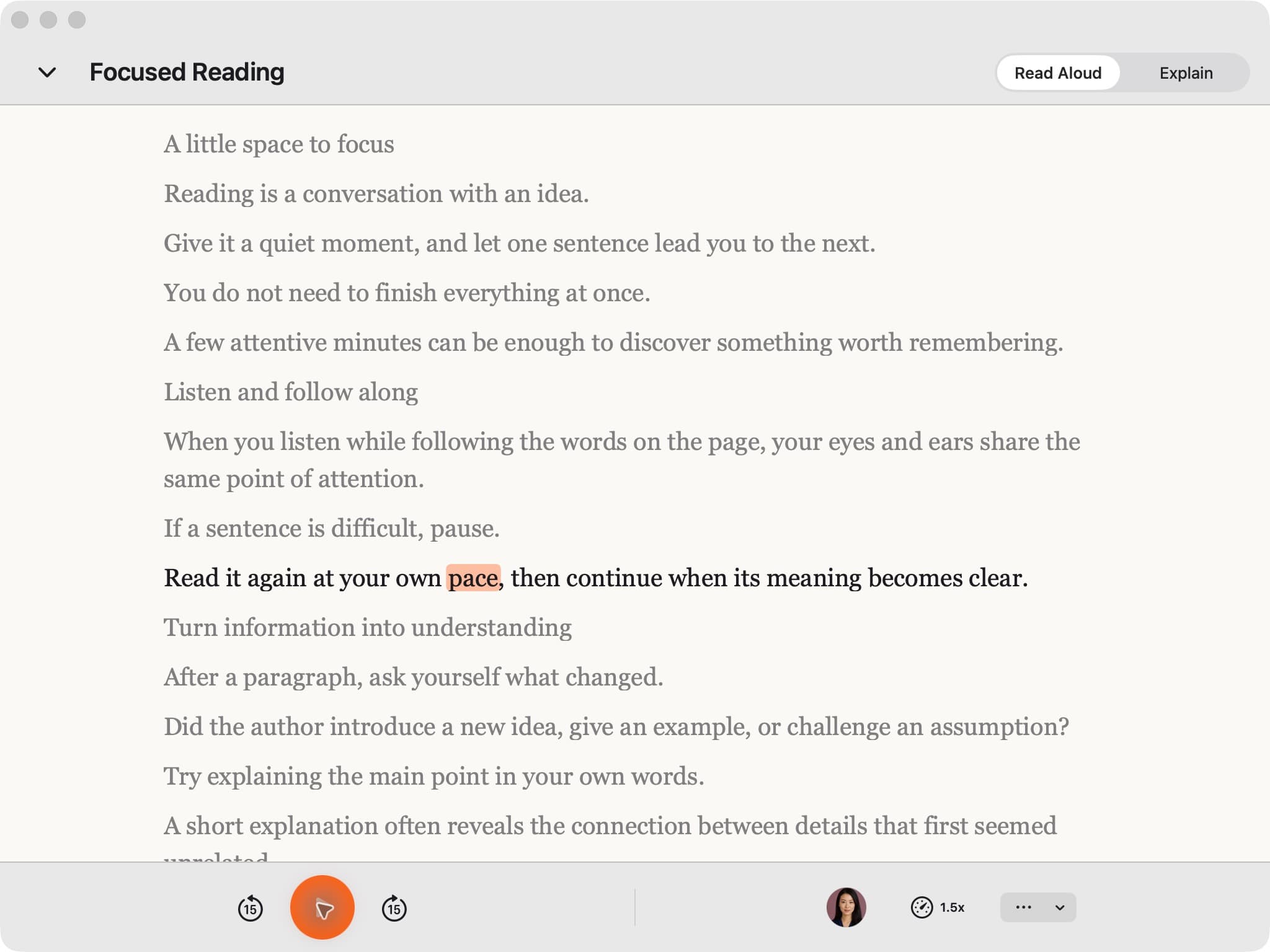
From file to first listen
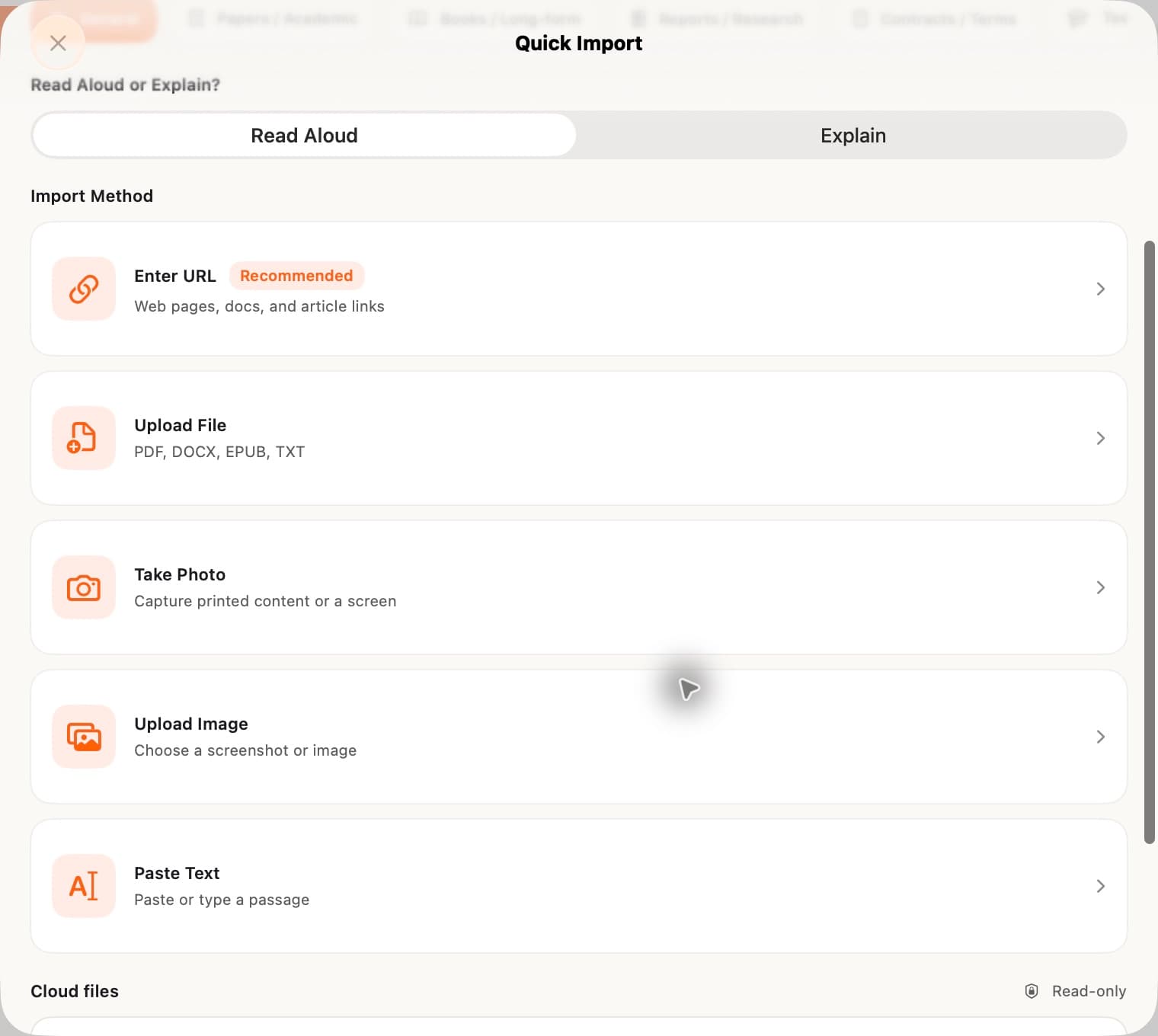
Get CastReader from the Mac App Store. Open the app from Applications, then use the + button or Command–O to open Quick Import.
Choose Upload File for a PDF, EPUB, DOCX or TXT file. Use Enter URL for a webpage, Paste Text for copied text, or Upload Image for a screenshot. Files can also be dragged into the app.
Pick a voice and a comfortable speed. The active words are highlighted as you listen. Pause to take notes, then continue from your place in the reader.
Use files and pages you have permission to access. Text extraction depends on the file and page layout; image recognition depends on image quality. Protected books and restricted webpages may not be readable.
When a passage needs a second look
Switch from Read Aloud to Explain for a spoken explanation of the material. Highlights, circles and underlines connect the explanation to the source, so you can see which idea is being discussed.
Use it when a paragraph interrupts your reading flow, then return to the text. AI explanations can make mistakes; check important details against the original.
Explore Read & Explain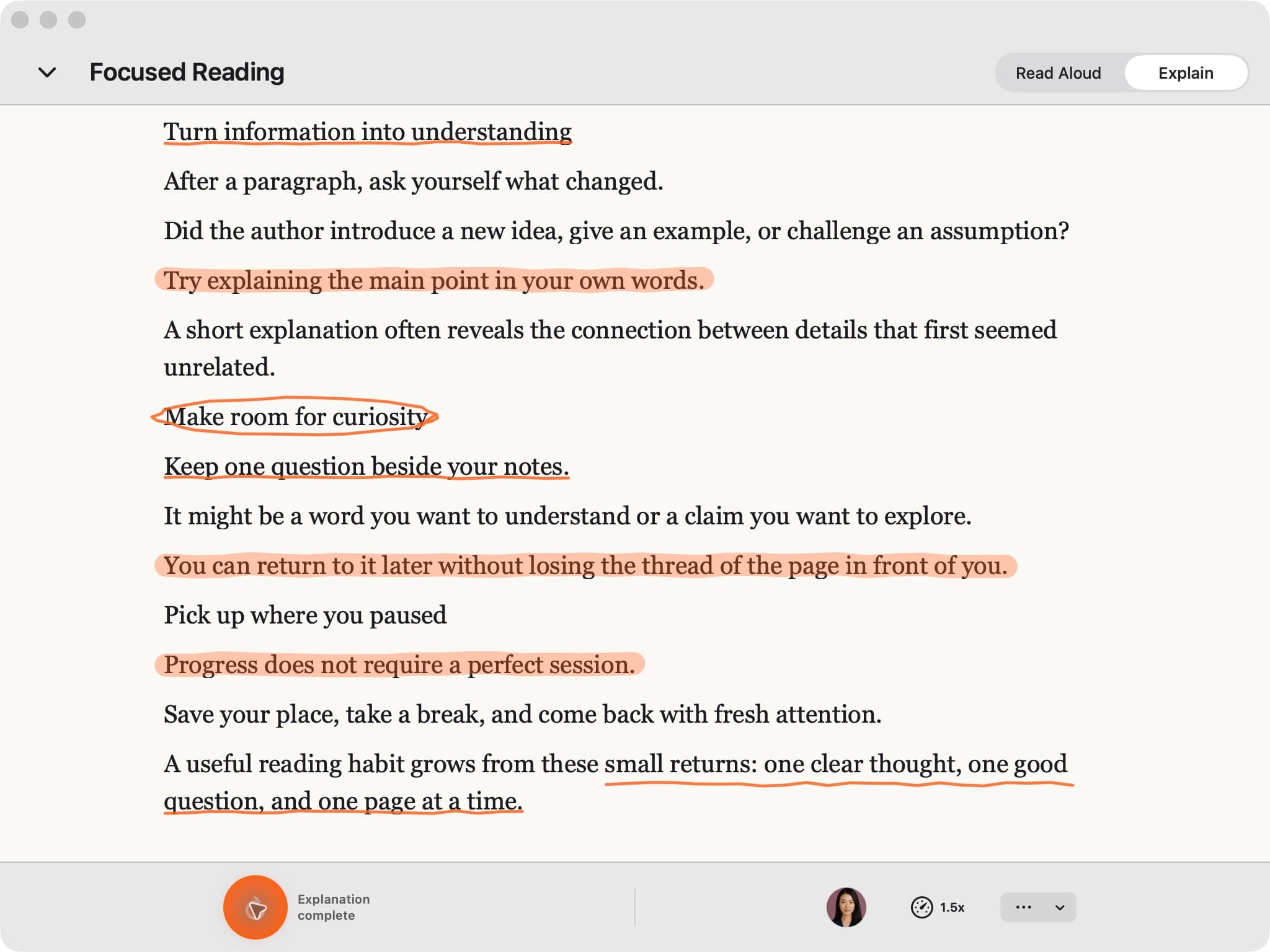
Keep your reading in its own window. Use the sidebar to move between Home, Library, Voice and Settings, and bring files in from Finder without hunting through browser tabs.
Already use CastReader? Sign in with the same account for your Pro entitlement. Your local library and each connected reading service keep their own content and progress behavior.
Playback shortcuts apply to the active reader, not while you are editing text.
A desktop library, in-page controls, or a quick way to hear selected text: start with the workflow that fits your reading.
For documents, ebooks, pasted text and links you want to open in a dedicated app, with a library, voice selection and Read Aloud or Explain.
You are on the Mac app page
For supported webpages you prefer to read inside Safari. The browser extension is installed and enabled separately from the Mac app.
Get the Safari extension →For hearing a selection of text using your Mac’s accessibility settings. This is a useful starting point when you do not need a separate reading library.
Apple’s reading guide ↗CastReader requires macOS 14.6 or later. Open its Mac App Store listing on your Mac to check compatibility and install the current version. The App Store handles installation and updates.
Yes. Open Quick Import, choose Upload File, and select your PDF or EPUB. You can also import DOCX, TXT and images. Check that the extracted text is readable before starting: scans, complex layouts and protected files can limit the result. CastReader does not remove DRM or unlock restricted content.
CastReader is free to download, with daily free allowances and optional Pro features. Sign in with your existing CastReader account to use its Pro membership. See plans and limits; the App Store shows local prices and renewal terms before purchase.
They are separate downloads. The Mac app gives you a desktop library and import workflow for documents, text and links. The Safari extension adds reading controls to supported pages inside Safari. Choose the extension if you want to stay on the original page; find it in Safari downloads and setup.
Use an internet connection for AI voice generation and AI Explain. Importing a file does not make every voice or explanation available offline. If you only need basic selected-text speech, macOS also has built-in reading controls.
Your account can share Pro entitlement across supported CastReader clients. That is different from syncing every file, library item or reading position. Keep the original files you need on each device, and check the behavior of each connected book service instead of assuming all content is shared automatically.
Start with a passage, an article or a book you already have.
Download on the Mac App StoremacOS 14.6+ · Free download with in-app purchases
Looking for another device? See all downloads